【Shopify】商品广告之置顶功能
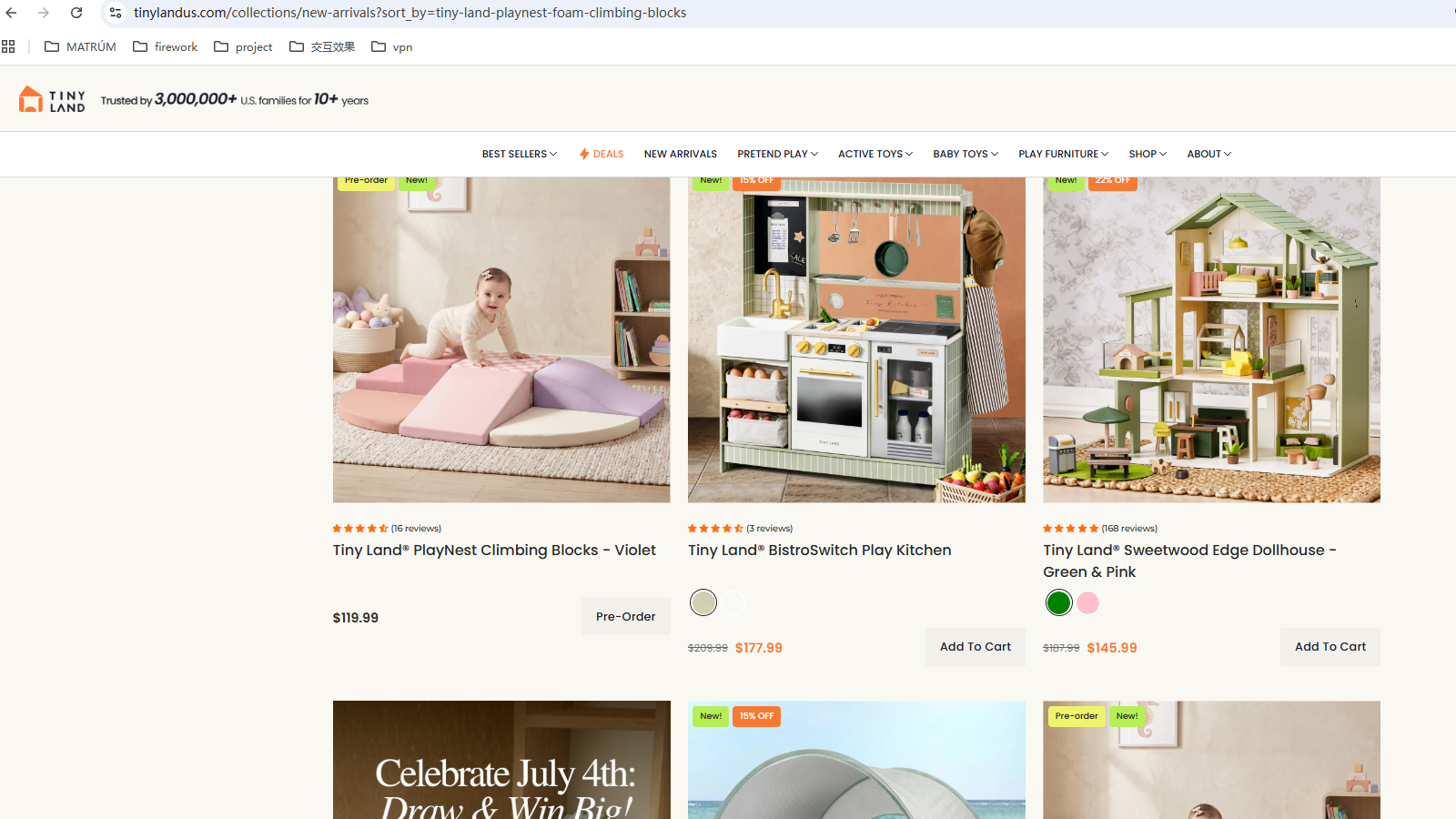
一:免费模板的置顶方法:
直接安装Topeak插件即可实现:
https://adsgo.orderplus.com/shopify/app?shop={ 网站shopify地址 }
网站shopify地址 格式示例:website.myshopify.com
二:付费模板(Capital)的置顶方法:
需按以下步骤将目标代码添加到目标位置
目标代码
<!-- 置顶商品的展示开始 -->
          {% assign handles = '' %}
          {% assign handleSize = 0 %}
          {% if current_page == 1 %}
            {% assign handles = collection.sort_by | downcase | replace:'%2C',',' | replace:'%2c',',' | split: ',' %}
            {% for handle in handles %}
            {%- assign product = all_products[handle] -%}
            {% if product != empty %}
              {% assign handleSize = handleSize|plus: 1 %}
              {% assign featured = product %}
              <div class="Grid__Cell 1/{{ mobile_items_per_row }}--phone 1/{{ tablet_items_per_row }}--tablet-and-up 1/{{ desktop_items_per_row }}--{% if section.settings.filter_position == 'drawer' %}lap-and-up{% else %}desk{% endif %}">
                {%- include 'product-item', show_product_info: true, show_vendor: section.settings.show_vendor, show_color_swatch: section.settings.show_color_swatch, show_labels: true -%}
              </div>
            {% endif %}
            {% endfor %}
          {% endif %}
       <!-- 置顶商品的展示结束 -->

       <!-- 其余商品的展示开始 -->
          {%- for product in collection.products -%}
          {% if handles contains product.handle %}
            {% continue %}
          {% else %}
            {% assign productIndex = productIndex | plus: 1 %}
            {% if productIndex > productSize %}
              {% continue %}
            {% else %}
              {% assign featured = product %}

            <div class="Grid__Cell 1/{{ mobile_items_per_row }}--phone 1/{{ tablet_items_per_row }}--tablet-and-up 1/{{ desktop_items_per_row }}--{% if section.settings.filter_position == 'drawer' %}lap-and-up{% else %}desk{% endif %}">
              {%- include 'product-item', show_product_info: true, show_vendor: section.settings.show_vendor, show_color_swatch: section.settings.show_color_swatch, show_labels: true -%}
            </div>
             {% endif %}
          {% endif %}
          {%- endfor -%}
       <!-- 其余商品的展示结束 -->
目标位置查找方法
打开shopify后台 -- 依次点击 Online Store -- Actions -- Edit Code -- 搜索并打开colletion-template.liquid。
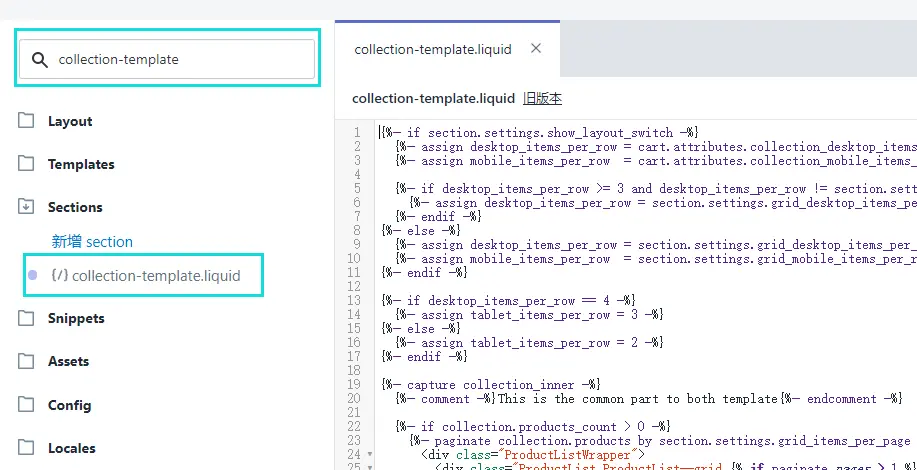
正确目标模板
将目标代码替换掉原始代码
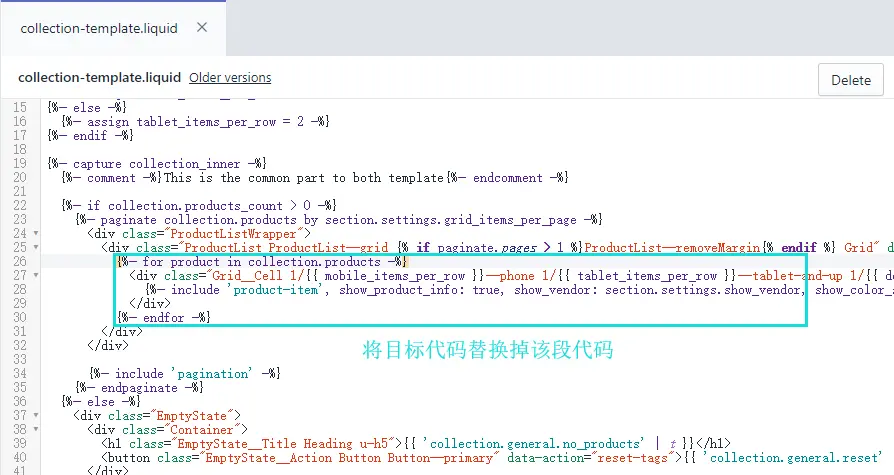
原始代码.png
二:置顶功能使用方法:
选择需要置顶的商品获取到handle属性

handle属性获取方法
多个商品的置顶
多个商品的置顶和之前保持⼀致,⽤英⽂状态下的 " , " 进⾏分割即可
形成初步置顶链接
复制某个类⽬的链接,并将上边获取到的handle属性准备好,⽤ sort_by= 进⾏拼接即可,如下所示是⼀个示例连接
https://chiquebabe.com/collections/best-seller?sort_by=la4658-chibb1
获取唯一标识
为了解决缓存问题会导致置顶功能失效,所以要在形成的初步链接后增加唯一标识,每次更换置顶商品都需要重置该时间标识。
唯⼀标识⽣成⽹址: http://tool.chinaz.com/Tools/unixtime.aspx
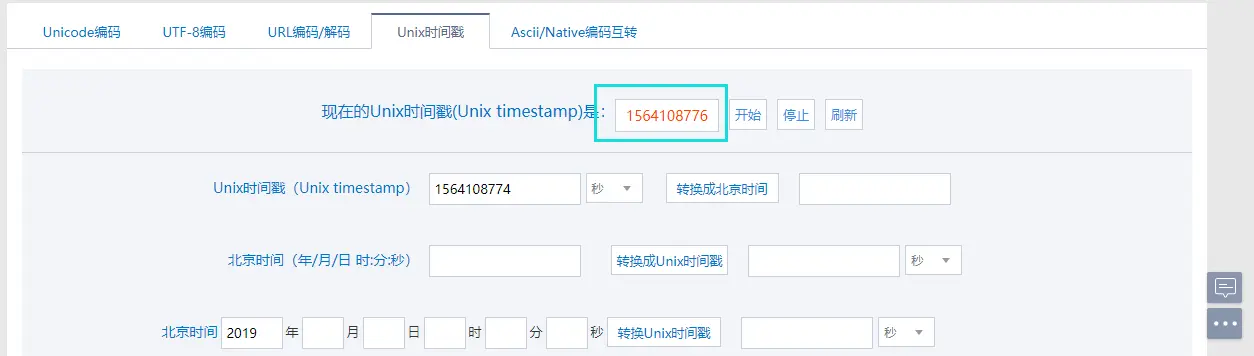
完整置顶链接
https://chiquebabe.com/collections/best-seller?sort_by=la4658-chibb1&q=唯一标识
两个链接不同的地方
https://chiquebabe.com/collections/best-seller?sort_by=la4658-chibb1
https://chiquebabe.com/collections/best-seller?sort_by=la4658-chibb1&q=唯一标识
注:多个链接中&q=后的参数必须唯⼀。